
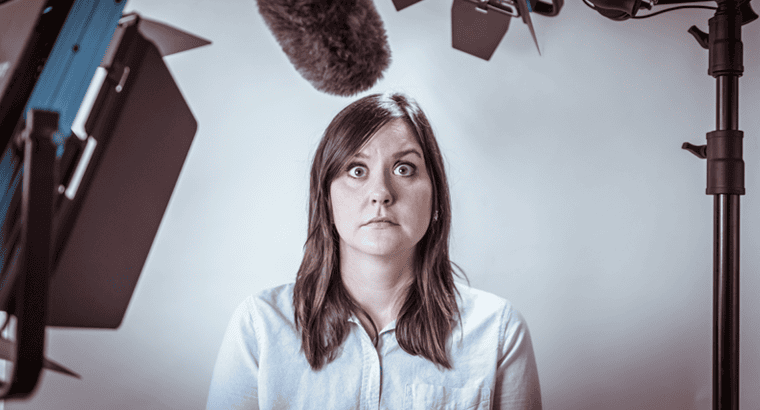
Why is it that even experienced communicators can fall flat when they step in front of a camera? Strong presenting skills don’t always translate automatically to recorded video. Without a live audience, presenters have to rethink how they use their voice, body language, energy and connection to keep viewers engaged.
The seasoned communicators who’ve tried it will tell you it’s because it’s too scripted. They prefer a more informal and conversational approach. Or they say, it’s too constricted. They believe their energy comes from movement, and they want to move around like they would on a stage.
And while both the tighter content and the limited movement are concepts that take adjustment, the biggest difference that communicators struggle with is the lack of an audience.
It’s ironic because when you ask communicators in other settings what makes them nervous or throws off their focus, the common issue is the audience. “The group was bigger than I expected, I didn’t know a senior leader would be there, or they weren’t as interested in my topic as I was told.” If you find the audience to be a challenge as a communicator, you’ll find the lack of one makes video production even harder, regardless of your presenting skills.
Why Presenting on Video Feels Different
Ask anyone who’s produced a lot of videos and they’ll tell you: the hardest part of video is understanding how to lead a one-sided conversation as if it were a two-sided one. And essentially, that’s what changes the most.
For years, we’ve guided our executive coaching clients to get comfortable with video as a medium. But we couldn’t have predicted how quickly it would take hold as different ways of work evolved, and leaders weren’t in front of employees as frequently. Today, more than 50% of internal communications is done via video. And by video, I don’t mean live communication that’s hosted on a virtual platform. I’m referring to taped communication that is produced for sound bites, promotion and engagement on topics.
And it’s not just leaders who are using it. Video has become an easy way to get information out in a short format. Companies are adding studios to their offices, and they’re creating pre-taped messages to support most internal initiatives. The only piece missing are communicators who are effective with the format.
That’s because it’s different enough that usual presenting skills don’t easily adapt to it. Communicators need some help translating those presenting skills and adapting what they know about energy and engagement to the new format.
In fact, whether you’re the coach or the coachee working on a video format, it’s important to make sure the presenting skills of the communicator starts with an understanding of intent more than technique.
Too often, people who coach communicators give tips and techniques that mask poor habits rather than working through them.
And when a communicator tries to translate those techniques to a different setting, it seldom works because the old habit is still there.
Across all settings, our focus always begins by talking to a communicator about their toolkit. Every communicator has the same one: their body, their voice and the listener. The tools don’t change across settings; a communicator’s understanding of how to leverage them does.
How to Improve Your Presenting Skills on Camera
So how do you coach a communicator to be impactful through video?
1. Write for Video, Not the Stage
First, you talk about scripts. Some communicators have learned to use teleprompters for keynotes and large stage events. In this setting, they can use headlines and short-form bullets as an outline. But when producing video, the content has to be much tighter. Videos have 2-3 minutes to be compelling and succinct. It’s sound bites, it’s phrases – and it’s always scripted. The conversational tone most communicators want to convey comes through in style, not content. Coaching someone to read a script in a conversational way is step one.
2. Use More Controlled Body Language
Second, you focus on the body. Video requires a more settled presence. Movement is distracting. Some people like to stand to get involved in what they’re saying, but most people do their best seated on a stool. Either way, the goal is to get someone forward toward the camera. Coaching focuses on helping a communicator feel settled and involved at the same time.
3. Create Energy Through Your Voice
The third coaching area is the voice. Video requires someone to be able to land a point and create energy through effort behind the voice. Foundational presenting skills translate easily to video in terms of articulation and projection. The harder coaching concepts are landing a point and putting emotion behind words and phrases.
4. Connect With an Audience You Can’t See
And that leads to the missing element: the audience. Communicators leverage energy and engagement back and forth with listeners in other settings and when it isn’t there, their own energy drops quickly. Unfortunately, it’s easy to spot. Someone who doesn’t know how to connect through video will look as if they’re staring. The eyes become hard, and it’s easy to see them reading the script. That’s less about reading and more about keeping expression active in communication.
If you’ve worked with SW&A on presence and style, you know the answer. Connection is less about looking at someone and more about drawing response from someone. Again, it’s the intent of connecting with someone and less the technique of eye contact.
When we coach someone how to engage with a listener, we illustrate the two-way interaction of connection. And if you understand the essence of connection, you can translate it to video. It is the concept of leading a one-sided conversation as if it were a two-sided one. You have to work for emotion, you have to work for response – even though you won’t get it. What you will get is expression through the communicator’s eyes and face. And that’s what makes video feel as if a communicator is talking directly to a listener.
Video is a powerful medium when it’s done well. And it’s a frustrating one when seasoned communicators don’t know how to execute it due to lack of presenting skills.
What Are the Most Important Presenting Skills?
Presenting skills are the behaviors that help a communicator make ideas clear, credible and engaging. They include the ability to organize a message, use the voice effectively, support ideas with intentional body language and create a connection with listeners.
Those foundational presenting skills matter in every communication setting. What changes is how the communicator applies them.
During an in-person conversation, a leader can move around the room, respond to audience reactions and draw energy from listeners. During a live virtual meeting, the leader may still receive questions and see expressions on screen. Recorded video removes most of that interaction. The communicator must create the feeling of connection without receiving an immediate response.
That is why an experienced speaker can still appear uncomfortable or low-energy on camera. The communicator has the presenting skills but has not yet adapted them to the situation.
Five Presenting Skills That Improve Video Communication
1. A Clear and Focused Message
Effective video communication begins with a concise message. Viewers should quickly understand what the leader wants them to know, why it matters and what they should do next.
A video script should sound natural when spoken. Short sentences, clear transitions and familiar language make the message easier to deliver and easier for the audience to follow. If a sentence is difficult to say aloud, it will probably be difficult to understand.
The goal is not to fit every detail into one video. It is to identify the central idea and support it with only the information the listener needs.
2. Conversational Vocal Delivery
A well-written script can still sound flat when every word receives the same emphasis.
Strong presenting skills include knowing how to vary pace, volume, tone and emphasis. The voice should help the listener recognize important ideas and hear the leader’s commitment to the message.
A conversational delivery does not mean speaking casually or improvising. It means communicating the script as a series of ideas rather than reading it as a collection of words. The leader should know why each point matters and allow that intention to shape the voice.
3. Controlled but Engaged Body Language
Video requires a smaller range of movement than an in-person setting. Large gestures or frequent shifts can distract the viewer, particularly when the camera captures a tight frame.
But controlled movement does not mean no movement. Leaders still need facial expression, purposeful gestures and an involved posture. The body should reinforce the message without competing with it.
An effective video presence feels settled rather than stiff. The communicator appears comfortable, engaged and ready to connect with the person watching.
4. Connection Through the Camera
Looking into a camera can feel unnatural because there is no visible listener on the other side. Yet camera connection is one of the most important presenting skills for recorded communication.
Instead of concentrating on the lens itself, the communicator should picture the person receiving the message. Who needs to hear this? What questions might that person have? How should the listener feel at the end?
That shift in intention activates expression in the eyes, face and voice. It helps the communicator move beyond simply delivering information and begin communicating with someone.
5. Confident and Authentic Energy
Video often reduces the energy an audience perceives. A delivery that feels appropriate to the communicator may appear reserved or disengaged on screen.
The answer is not to become louder or overly animated. It is to increase intention. The leader may need to place more emphasis behind important phrases, allow enthusiasm to show or become more direct about why the message matters.
Authentic energy should still reflect the leader’s natural communication style. The objective is to make that style visible through the camera.
How to Practice Presenting Skills for Video
Practicing for video is different from silently reviewing a script.
Begin by reading the content aloud and revising any language that feels unnatural. Then record a short section and watch it from the listener’s perspective. Is the main point clear? Does the voice communicate interest? Does the body appear settled? Does the communicator seem to be speaking with the audience or simply reading to the camera?
Focus on one adjustment at a time. Trying to change the voice, posture, expression and pacing simultaneously can make the delivery feel forced. A more productive approach is to strengthen one presenting skill, record the message again and evaluate whether the change improved the listener’s experience.
Practice should build familiarity without creating memorization. The leader needs to know the message well enough to communicate the ideas, even when using a script or teleprompter.
Presenting Skills for Live, Virtual and Recorded Settings
Strong communicators do not use one delivery style everywhere. They adapt their presenting skills to the audience and environment.
In person, the communicator can use the room, respond to listeners and create energy through movement. In a virtual meeting, the leader must work within a smaller frame while managing live interaction. In recorded video, the message must feel personal even though the audience is not present.
The toolkit remains the same: content, style and situation. Mastery comes from knowing how to adjust each element without losing the leader’s authentic voice.
Presenting Skills Coaching for Leaders
Presenting skills coaching helps leaders understand how audiences experience their communication and what adjustments will create greater impact.
SW&A coaches leaders to organize their content, refine their individual style and prepare for the specific situation. For video communication, that may include script development, vocal coaching, body language, camera connection and recorded practice with feedback.
The goal is not simply to help a leader look comfortable on camera. It is to ensure the message feels clear, credible and connected from the audience’s side of the lens.
We can help!
SW&A coaches presenting skills to communicators to connect through video in 1:1 coaching and group workshops. And we can ensure that when the lights and cameras come on, there will be great energy on your side of the lens.
As always, we’re here when you need us!
Talk to Us About What’s Right for You → | Explore Tailored Programs → | LinkedIn →